
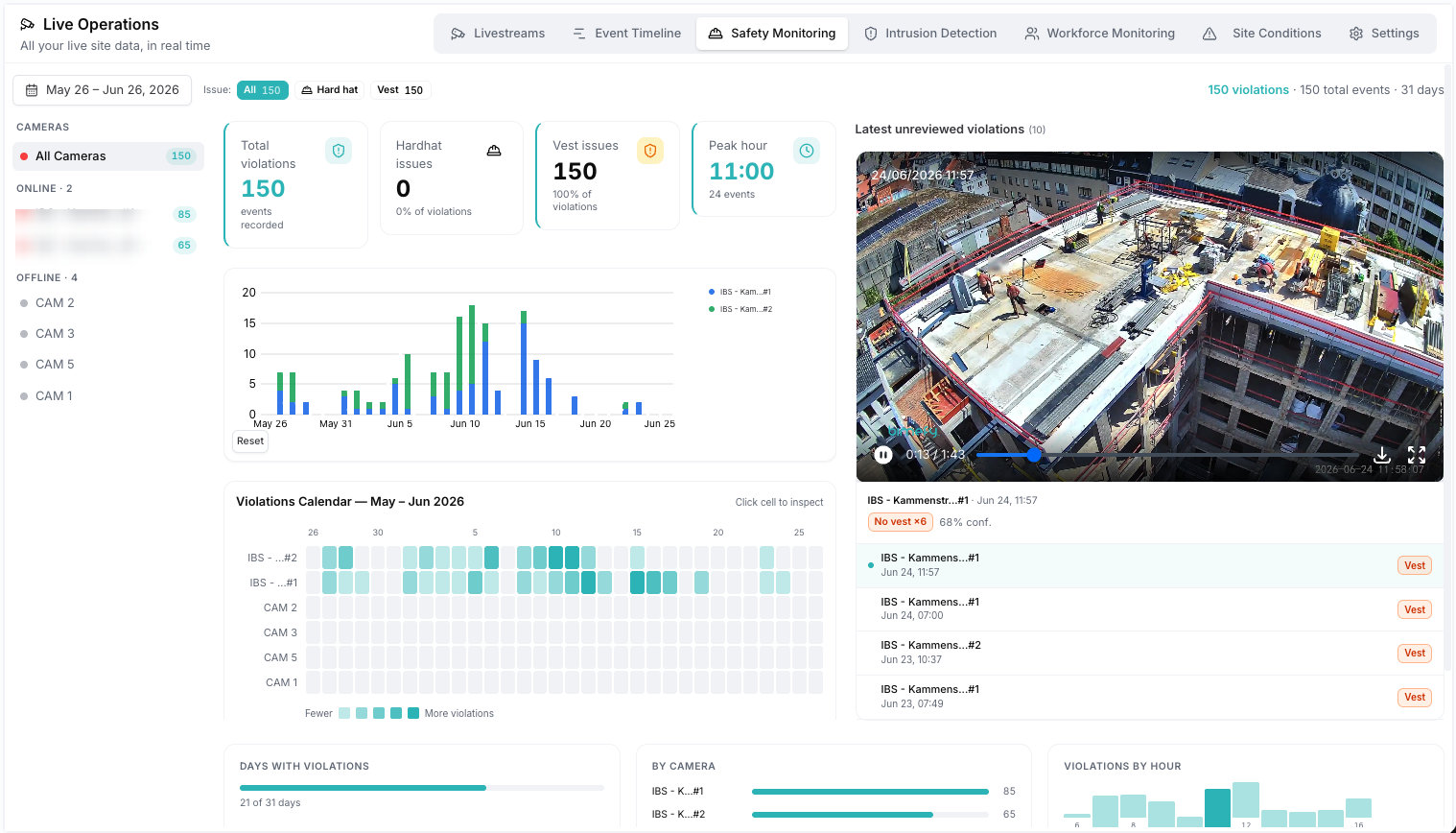
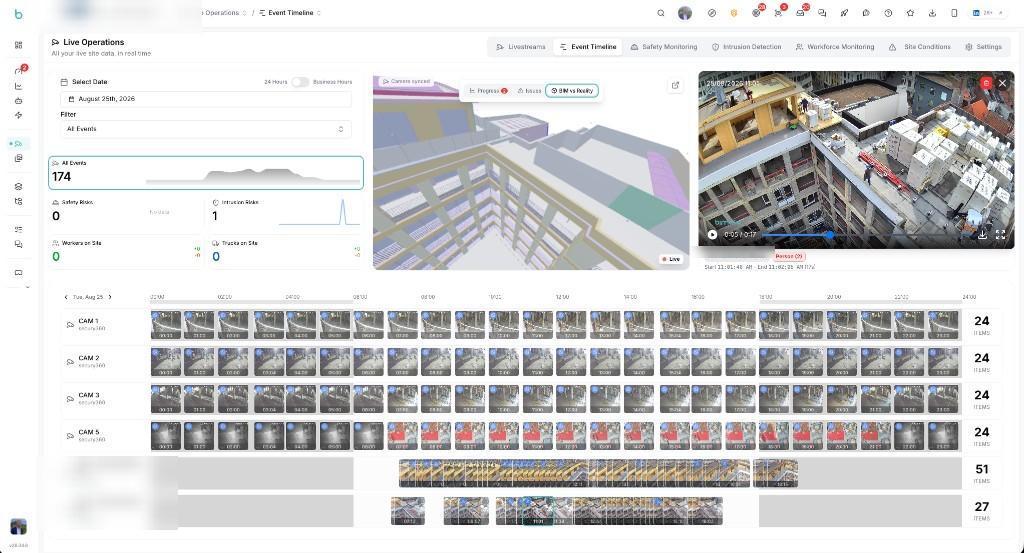
Bimefy does not require the contractor to choose between dedicated construction cameras and its existing security cameras. Both can be brought together.
High-definition project views and livestreams from the areas of the works the contractor wants to follow closely.
The 360° security cameras already installed on site, sharing a static overview image with Bimefy every hour.
Both sources become accessible in the same digital project environment.
Thanks to real-time monitoring of the roof area, we were able to respond quickly to a recent serious safety hazard and intervene before an accident could occur.
Project stakeholders cannot always be physically present on site, but they still need an easy way to understand what is happening across the works.
Dedicated construction cameras provide high-quality project views, while many sites already have security cameras covering other areas. The contractor wanted to bring both sources together so project stakeholders could access a broader visual picture of the site from one project environment.
The contractor uses two complementary camera sources in Bimefy: dedicated high-definition construction cameras, and the existing Secury360 cameras, which share a static site image once an hour. Both become part of the same project environment.
The team uses Bimefy cameras at key locations to capture high-definition construction imagery and provide livestream access to the project team. These cameras are positioned specifically around the areas of the works that need close attention.
The team also connects its existing Secury360 cameras, which share a static site image roughly once an hour. Instead of leaving those snapshots isolated inside the security system, Bimefy adds them to the same project timeline alongside the live Bimefy camera feeds.
Project stakeholders can open livestreams from dedicated Bimefy cameras, or review scheduled imagery from both camera sources, without first requesting photos or visiting the project.
Bimefy stores site imagery over time so the team can return to previous site conditions and create timelapses showing how the construction developed.
How dedicated construction cameras and existing security cameras work together in Bimefy
Dedicated construction cameras provide high-quality imagery from important project viewpoints.
Authorized stakeholders can access live views of the construction site remotely.
Existing Secury360 cameras can be connected to Bimefy, adding a static site image roughly once an hour alongside the live camera feeds.
Bimefy automatically saves site imagery over time, including the site images Secury360 shares once an hour, building a visual timeline of the project.
Previous site conditions remain accessible directly from the project.
Stored imagery can be used to visualize how the works developed over a selected period.
The contractor has a broader visual view of its construction sites without relying on a single camera setup.
Dedicated Bimefy cameras provide high-definition imagery and livestreams from important construction viewpoints, while the existing Secury360 cameras share a static site image once an hour from areas the dedicated cameras don't cover.
Project stakeholders can access these views remotely through Bimefy, while stored imagery creates a visual history of how the works developed over time. This allows the team to combine purpose-built construction monitoring with camera infrastructure that was already present on site.
Works with
marketing:useCases.items.liveCameras.cta.subheading










Trusted by innovation driven companies
See how other construction teams work with Bimefy
Building & Partners uses Bimefy as its Common Data Environment to move project information from WIP to Shared to Published through controlled approvals.
View use caseOn one of its projects, a contractor uses Bimefy to connect site captures with the BIM model and the project planning, so the team can see how the works are progressing.
View use caseAPK Wegenbouw and its partners capture site works in 360° at successive moments and compare each walkthrough directly with the BIM model.
View use case